Global settings
TIP
Global settings for the Glossary are located in Confluence settings under the APPS tab.
info
To specify Global Setings for the Glossary you must have Confluence Site Admin permissions.
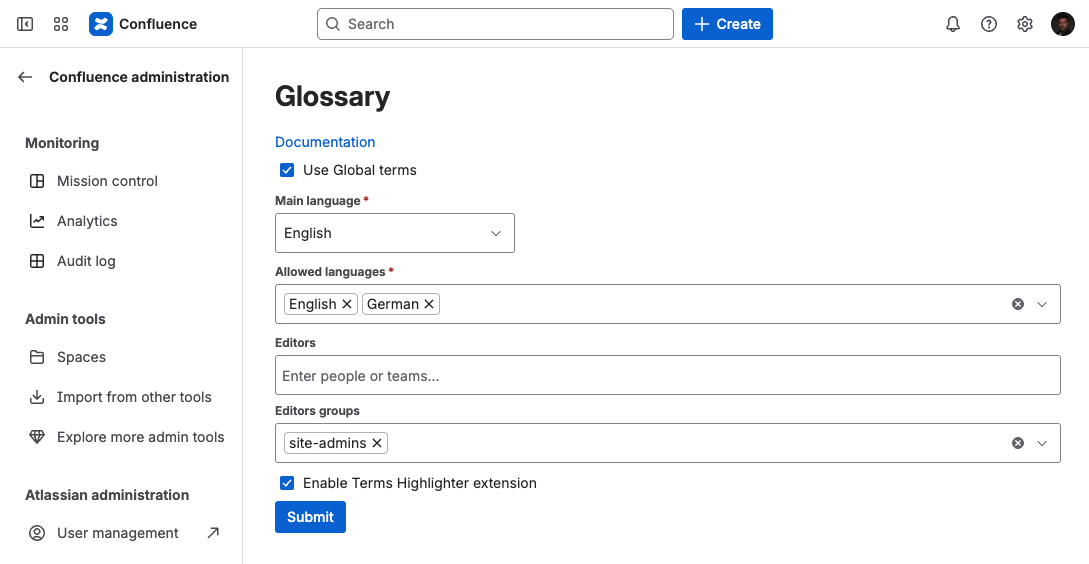
The global glossary can be specified with the following parameters:
| Parameter | Description | Logic |
|---|---|---|
| Use Global terms | Specify whether to use Global terms in your Confluence. | If checked, Global terms will be shown across all spaces. |
| Main language | Specify Main language for Global terms in your Confluence. | Used in Glossary Table macro and Glossary content byline item when Space Settings aren't specified. |
| Allowed languages | Specify allowed languages for Global terms in your Confluence. | These languages can be used by editors to create and edit terms in Confluence. Note Can be redefined in Space settings for space glossary. |
| Editors | Specify users who can create, edit, and delete Global terms. | Selected users can create, edit, and delete Global terms across all spaces. |
| Editors groups | Specify user groups who can create, edit, and delete Global terms. | Selected user groups can create, edit, and delete Global terms across all spaces. |
| Enable Terms Highlighter Extension | Enable integration with the Simple Glossary Highlighter browser extension. | When this option is turned on, users with the Chrome extension installed will see glossary terms highlighted directly on Confluence pages across all Confluence instance. Note This feature requires the Simple Glossary Highlighter extension installed in Google Chrome. More information here: Highlighter Extension |